Step 3: Promote Your Order
The schools that get the best results are the best promotors.
Below is a guide for promoting your order to the families and the process for your order.
- Once your artwork has been uploaded, we will help setup your order in our website.
- The website will generate an overprint file to personalise each student’s parent order form.
- Using this overprint file, personalise the parent order forms.
- Plan 3 – 5 reminders to ensure no one misses out
- Display the Posters and Samples
- A3 posters are best in high traffic areas such as building entrances, notice boards and the office.
- A4 posters are designed for each classroom where parents and students will see it. This is especially important in junior rooms where parents more often walk their children to class.
- The samples provided are often displayed at the school office for interested parents.
- Send home the Parent Order Forms: please make sure each teacher hands the correct form to the correct student. They will be printed in room order with the student’s name and room printed along the top.
Orders are recorded and paid for over our website, so the most important things for you to do is to promote your event and stay contactable to both Kids Art Works and your school community.
The website records each parent’s purchases when they pay online. You can:
- View the purchases placed in each room.
- Add a manual purchase to a room yourself e.g. a student insists on paying cash to the school or the principal wants greeting cards.
- View the purchases placed by each parent e.g. they may have 3 children in 3 different rooms and paid with one credit card transaction.
- View the totals of your order.
When your order closes, check then approve the Order Summary we email you. You do not need to check every single row on every page, but we do want you to at least check the details on the first page, which includes your Delivery Address and the School Branding we will print.
How the families will order
Families can view their child’s artwork and place orders in two convenient ways.
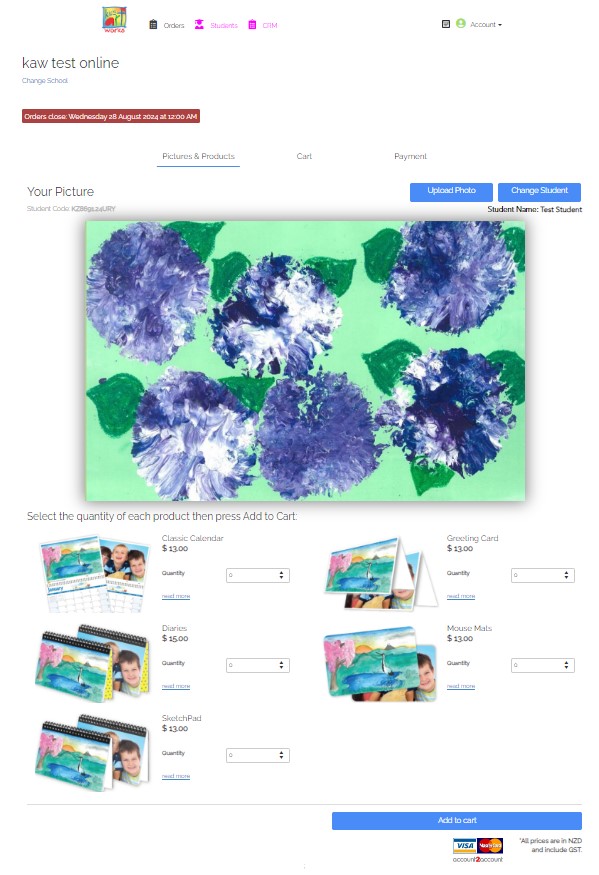
Option 1: Enter the unique code that is printed on the parent order forms. (eg KA1234ABC)
Option 2: Enter your school code (eg KA1234), then select their room and name from a drop down box,